How a guardian invalidates their client’s mandates
If you are a guardian, you can independently invalidate mandates concerning your client’s finances in Suomi.fi e-Authorizations.
If the guardian cannot independently invalidate mandates, the mandates can be invalidated in the mandate service provided by officials. Go to authorisation with an application.
Follow these steps when you want to invalidate a mandate independently:
Identify yourself into Suomi.fi e-AuthorizationOpens in a new window. using online banking codes, a mobile certificate, a certificate card or the Finnish Authenticator application.
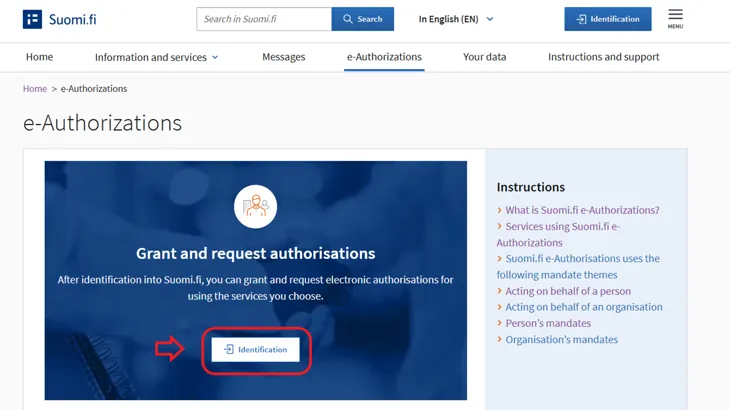
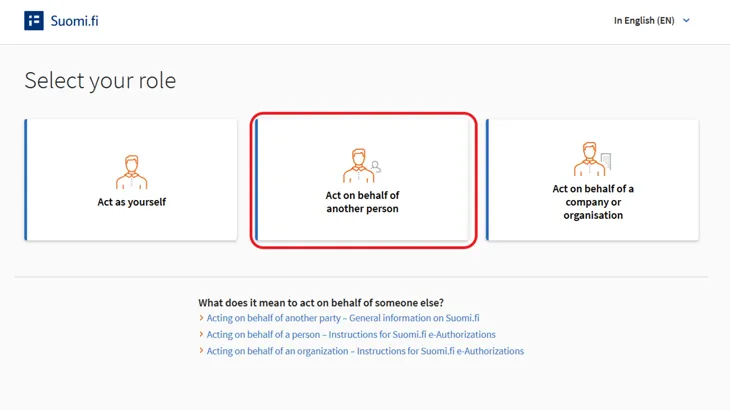
Select "Act on behalf of another person" as your role.
Select the client whose mandates you want to invalidate.
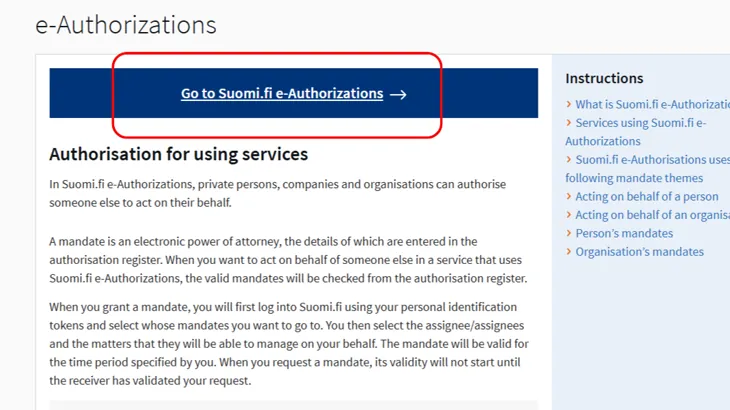
Click the Go to Suomi.fi e-Authorizations button.
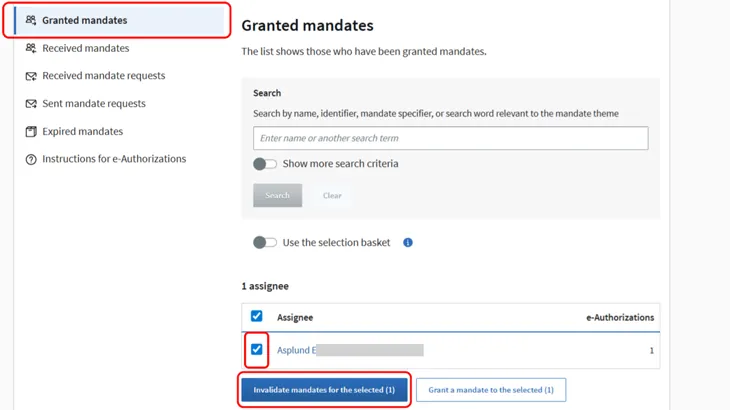
On the Granted mandates page, you can see all the assignees to whom mandates to act on behalf of your client in financial matters have been granted. You can see only mandates that concern financial matters.
You can select one or more parties and invalidate all their mandates. When you click on a party's name, you can select individual mandates that you want to invalidate.
Finally, click on the 'Invalidate mandates for the selected' button.
The invalidated mandates go to the Expired mandates page, where they are displayed 15 months after the expiration date. The assignee will not be notified that the mandate has been invalidated, so you must notify them of this where necessary.