How can I extend the validity of mandates?
You cannot automatically extend the validity of a mandate you have already granted. Instead, you have to grant the mandate again if you want the assignee to be able to continue acting on your behalf. See the instructions for granting a mandate on the page How to grant mandates independently to manage your own affairs.
Each of the mandates you have granted will be valid for the time period you have determined yourself in the Suomi.fi e-Authorizations service. The time period may be a maximum of 25 years.
When a mandate you have granted is about to expire, you will first receive a message about it in Suomi.fi Messages if you are using the Messages service. Otherwise, the only way to see the mandates that are expiring is to go to Suomi.fi e-Authorizations and view the mandates you have granted.
Where can I see mandates and expired mandates?
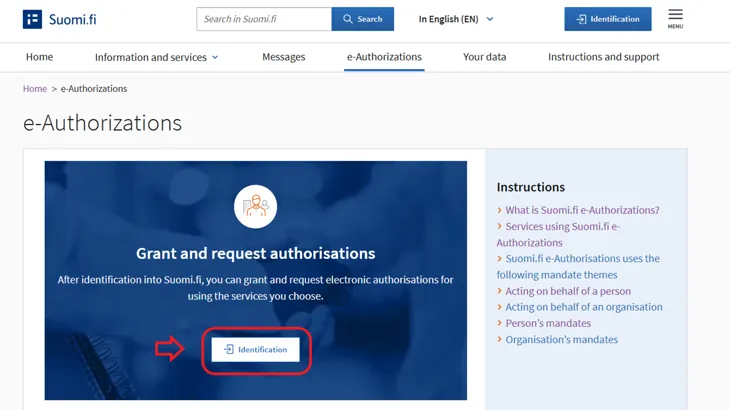
When you want to view the mandates you have granted or when you have received a message about expiring mandates, identify yourself into Suomi.fi e-Authorizations on the suomi.fi/e-authorizationsOpens in a new window. page.
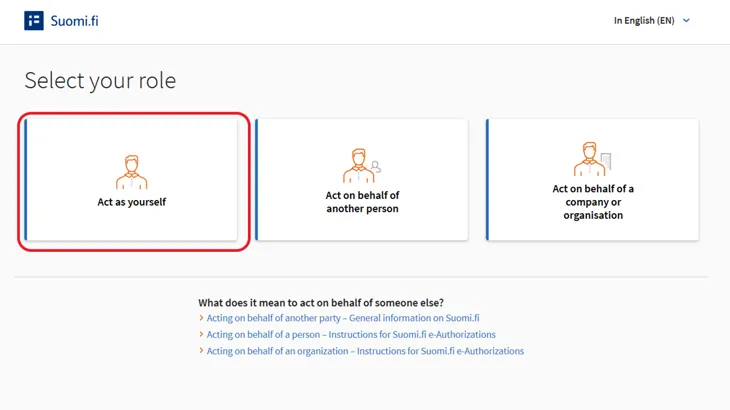
Select "Act as yourself" as your role.
Click the Go to Suomi.fi e-Authorizations button.
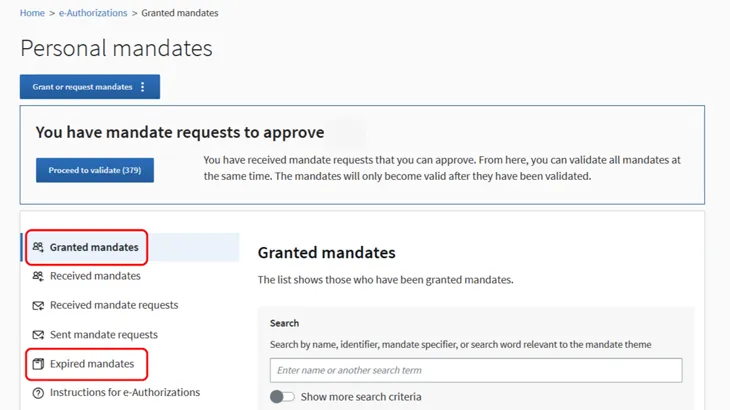
You will see the mandates you have granted on the Granted Mandates page. You can see the expired mandates you have granted under Expired mandates.