Approving a mandate request as a person
Someone close to you may send you a mandate request in Suomi.fi e-Authorizations. This means that the sender of the request is asking for a mandate from you to act on your behalf electronically in certain matters.
You will be notified of mandate requests sent to you in Suomi.fi Messages. If you have not activated Suomi.fi Messages, only the sender of the request can inform you of the mandate request.
You have to approve the mandate request so that the person can act on your behalf. When you approve a mandate request, you become an assignor and the person who requested the mandate becomes an assignee.
You can approve the request
- by identifying in Suomi.fi e-Authorizations at suomi.fi/e-authorizations and validating the mandate or
- by visiting a Digital and Population Data Services Agency service location.
When you validate the mandate, it will be valid from the start date. If you reject the mandate request, the requested mandate will not take effect.
To approve or reject a mandate request in Suomi.fi
Instructions:
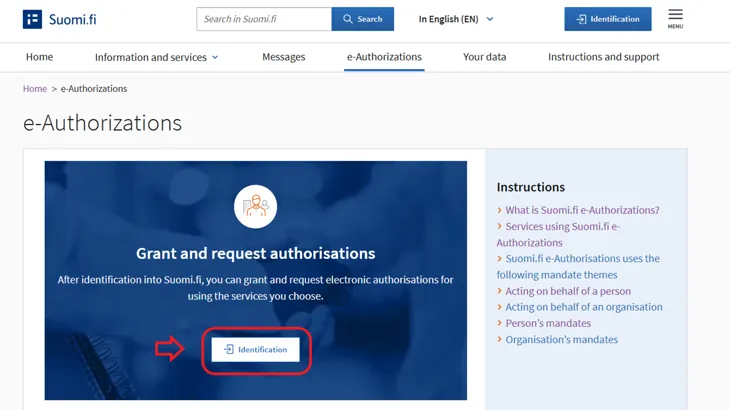
Use online banking codes, mobile ID, a certificate card or the Finnish Authenticator application to identify in Suomi.fi e-Authorizations at suomi.fi/e-authorizationsOpens in a new window..
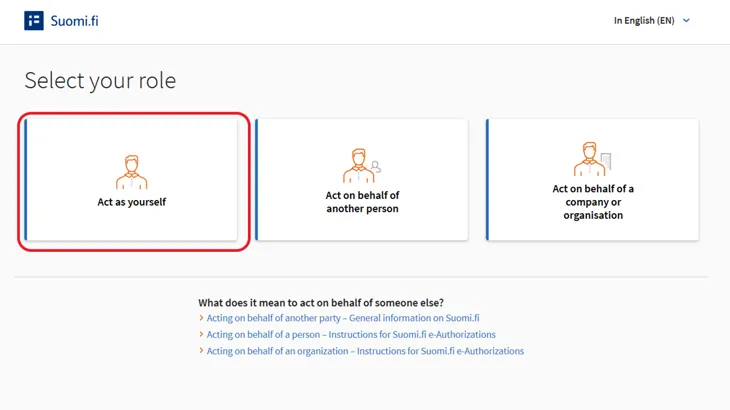
Select “Act as yourself” as the service role.
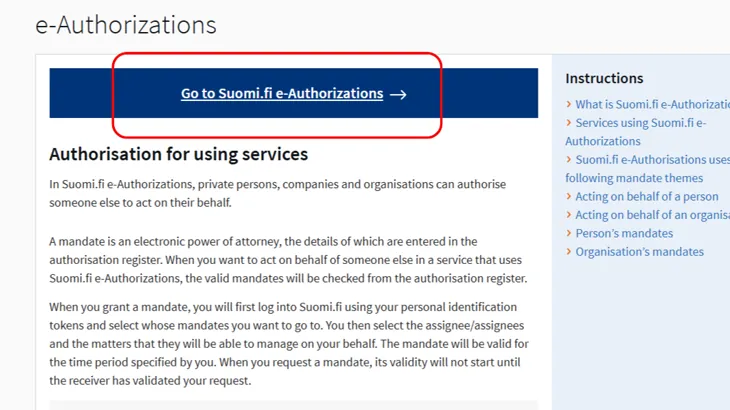
Click the Go to Suomi.fi e-Authorizations button.
You will find a notification that you can click to begin approving the mandate request. (You can also see mandate requests on the Received mandate requests page.)
- You can select one or more assignees and approve all mandate requests received from them at one time. When you click on the assignee's name, you can select individual mandate requests that you want to approve.
- Check the details of the mandate(s).
- Remove from the list any mandate requests that you do not want to approve.
- If necessary, edit the period of validity of the mandates that you want to approve.
- Validate the mandate(s). If you validate a new mandate that overlaps with an existing mandate, the existing overlapping mandate will be invalidated immediately.
Mandate requests that you request are completely deleted from Suomi.fi e-Authorizations. The party submitting the mandate request will not be notified of their request being rejected.
Approving a mandate request at a Digital and Population Data Services Agency service location
If you cannot identify in Suomi.fi e-Authorizations, you can book an appointment at your chosen Digital and Population Data Services Agency service location. The official will validate the mandate requests your behalf.
You need to bring your
- valid or expired Finnish citizen’s passport or identity card, or
- valid identity card issued by the Finnish Police.
If you are a citizen of Finland but do not have a valid passport or identity card, bring with you any other photo identity card and prepare to answer the official’s questions. Non-citizens of Finland always need a foreigner’s identity card, which is issued by the Finnish Police.
Making an appointment at the Digital and Population Data Services Agency.Opens in a new window.