How to request mandates as a person
When you want to act on behalf of another party
- Familiarise yourself with e-services and find out which mandate themes you need in order to act on behalf of a person close to you or, for example, your employer.
- Identify yourself on the Suomi.fi/e-authorizations page and send a mandate request to the party on whose behalf you want to act.
- Remind the recipient of the mandate request to accept your mandate request in Suomi.fi.
In Suomi.fi e-Authorizations, a person aged over 18 can request mandates to act on behalf of other people or organisations.
If you are unable to use electronic services or if the person you are requesting mandate from is unable to use electronic services, please visit the page Granting mandates if you are unable to use electronic services.
Identify yourself with your personal identification tokens
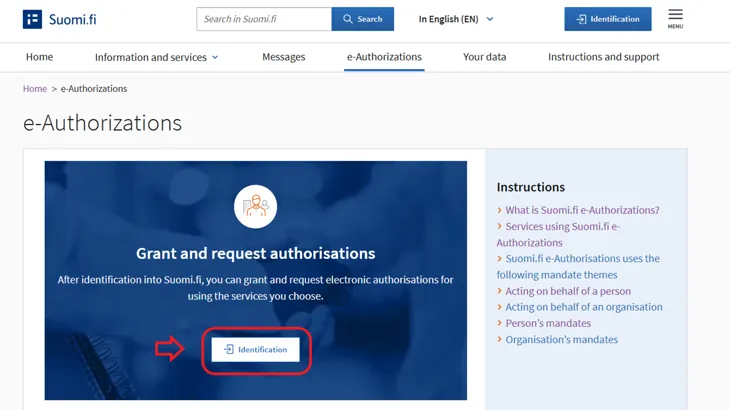
Identify yourself into Suomi.fi e-AuthorizationsOpens in a new window..
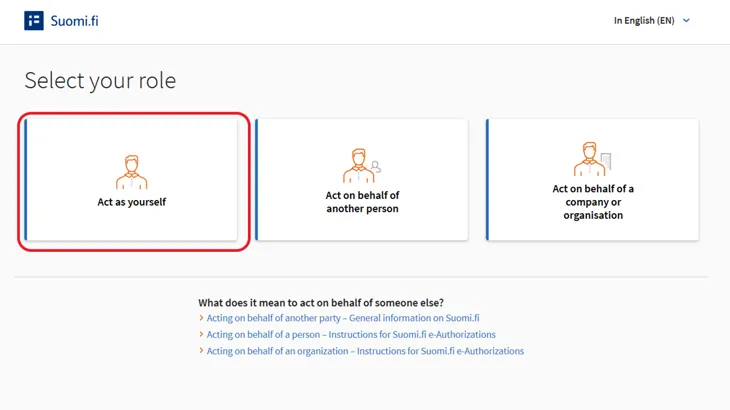
Select "Act as yourself" as your role.
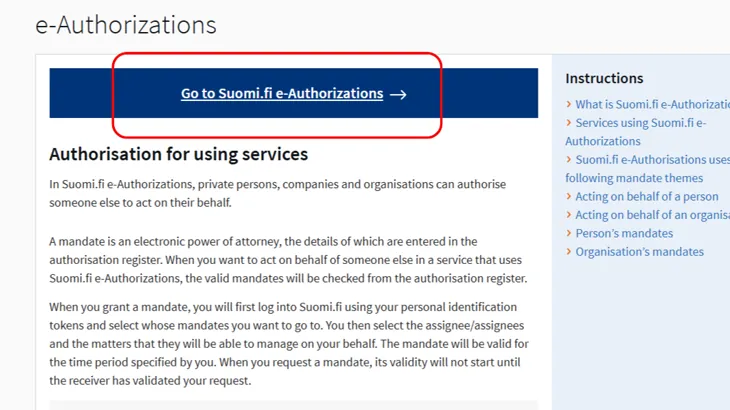
Click the Go to Suomi.fi e-Authorizations button.
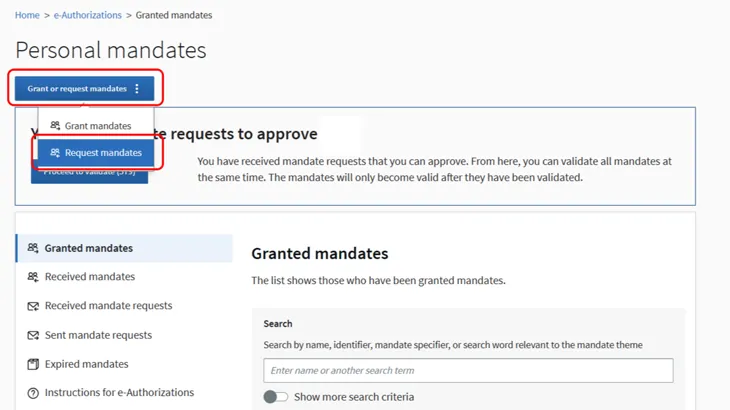
Press the Grant or request mandates button. Select Request mandates.
Request a mandate
There are five stages to requesting a mandate.
Step 1: Choose the parties
When you request a mandate, you are acting as an assignee. Your details will automatically be searched for in the Population Information System.
The assignor is the party of whom you are requesting the right to act on behalf of.
- When requesting a mandate from a person, you will need their last name, first name or preferred first name and personal identity code. The person to whom you are submitting the mandate request must be aged 18 or over.
- When requesting a mandate from a company or organisation, you need the business ID of a company or organisation registered in Finland.
You can also request a mandate from a company or organisation that is not registered in Finland, if at least one mandate has previously been registered for the company using the Mandate service provided by officials. To request a mandate, you will need the VAT ID of the EU country or the national business ID of the country with which the previous mandate is registered.
Step 2: Select mandate themes
Familiarise yourself with the mandate themes before requesting mandates. Check also in the instructions for each e-service you are using to see which mandate themes are used in them.
When in Suomi.fi e-Authorizations, search for mandate themes
- using search terms based on the name or description (such as pharmacy services, healthcare or car)
- by the name or the web address of the e-service or organisation (such as Kela, My Kanta or kanta.fi).
You can expand the search by using more than one search term when adding them one by one. The list shows all mandate themes that include any of the search terms.
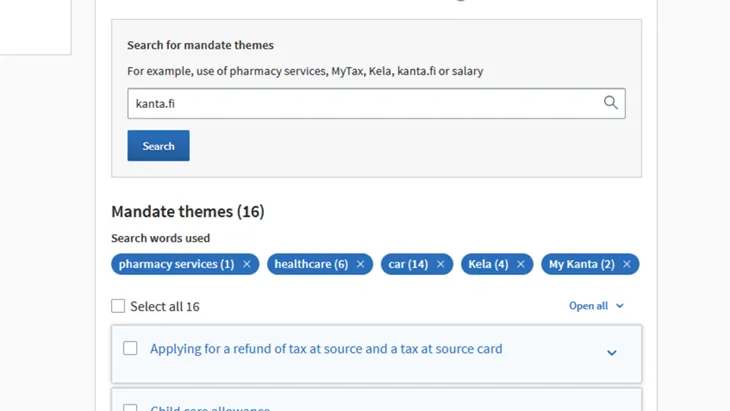
You can select more than one mandate theme. To continue, you must select at least one mandate theme.
If the mandate theme that you have selected includes a limiting specifier, you can limit the scope of the mandate to only apply to an individual property, department of an organisation, or contract. You should only use the specifier after you have received more detailed instructions on the e-service in which the mandate is intended to be used. Specifiers are not compulsory, and you may also request a mandate without a specifier.
More information on the use of specifier
Step 3: Specify the period of validity
A mandate must always have a start and end date. Please note that the dates are Finnish time.
The mandate may be valid for a maximum of 25 years from the day on which it was granted.
Step 4: Submit the mandate request
Check the details of the mandate request:
- The assignor is the person or organisation on whose behalf the person intends to act.
- You are the assignee.
- The mandate themes you have selected and the period of validity of the mandate are correct.
If you wish to change the details before the mandate request is submitted, you can go back over these steps.
When you submit a mandate request, the request is transferred to the recipient for approval through Suomi.fi e-Authorizations.
Step 5: Notify the recipient of your request
Inform the recipient of the mandate request that you have requested mandates from them. This way the recipient will know that they have to identify themselves in Suomi.fi e-Authorizations and accept your mandate request.
If you have activated Suomi.fi Messages, you will receive a notification when the recipient has validated the mandates you have requested.