Suomi.fi
Go directly to contents.How do I log into Suomi.fi e-Authorizations?
There are no separate user IDs for Suomi.fi e-Authorizations. Always log into the service using your personal ID, such as Finnish banking codes, a mobile certificate, the hightrust.id application or a certificate card.
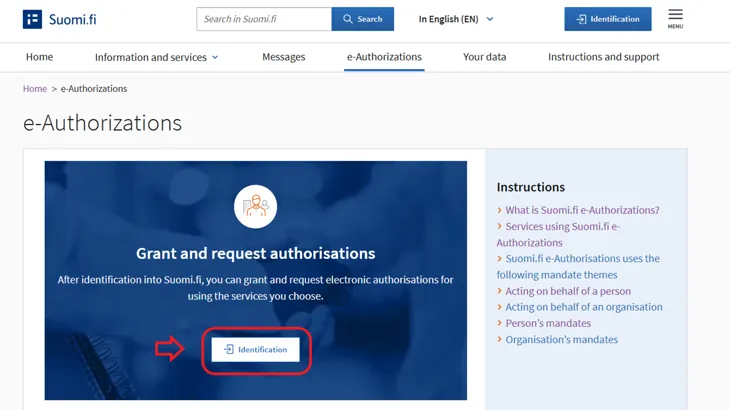
Log into Suomi.fi e-Authorizations at suomi.fi/e-authorizationsOpens in a new window. by clicking the Identification button.
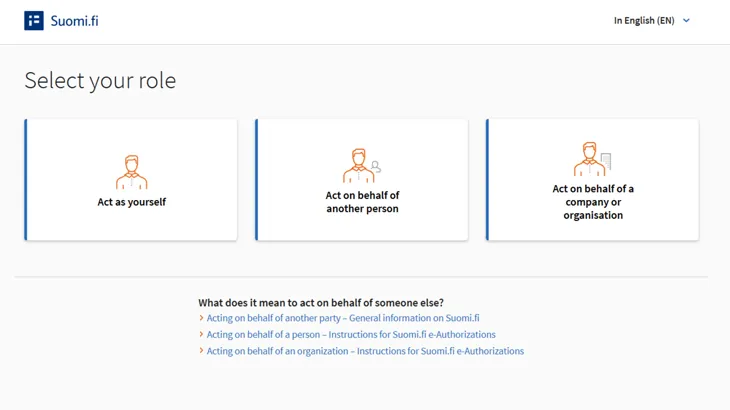
Then choose whether you want to act
- as yourself
- on behalf of another person
- on behalf of a company or organisation.
Updated: 29/4/2025